
Busy Works Beats · AI Mastering 12
Turn your mix into a finished master.
Get a loud, polished master inside your DAW. Start with Auto Master, then shape tone, punch, width and analog color with hands-on controls.
$79one-time purchase
Monthly access
$19.99/mo7 days free, then monthly. Cancel to end access.
Split payments
$19.99 × 10⁷ days free, then 10 monthly payments. $199.90 total; own it after payoff.
Card required. Cancel during your trial to avoid the charge. If you have already used the trial, your first payment is due today.
Included for Black Box Bundle owners and Premium Deluxe members while their membership is active.
Already own it? Sign inMac: AU + VST3, Apple Silicon and Intel. Windows: VST3.
Hear the difference
Your sound. Before and after.
Switch at the same point in the song. Before is the original; After uses AI Mastering 12.
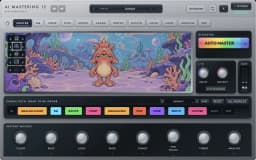
Underground Beats
1 / 1 · AI Mastering 12
Loading audio...0:00 / 4:35
See it in action
Watch AI Mastering 12 in action
AI Mastering 12 demo
Ultimate Limiter Plugin Shootout
Mastering Plugins COMPARED..side by side
Next update preview
More control at every step.
These screenshots show the latest development build. These additions are being prepared for the next customer installer update.
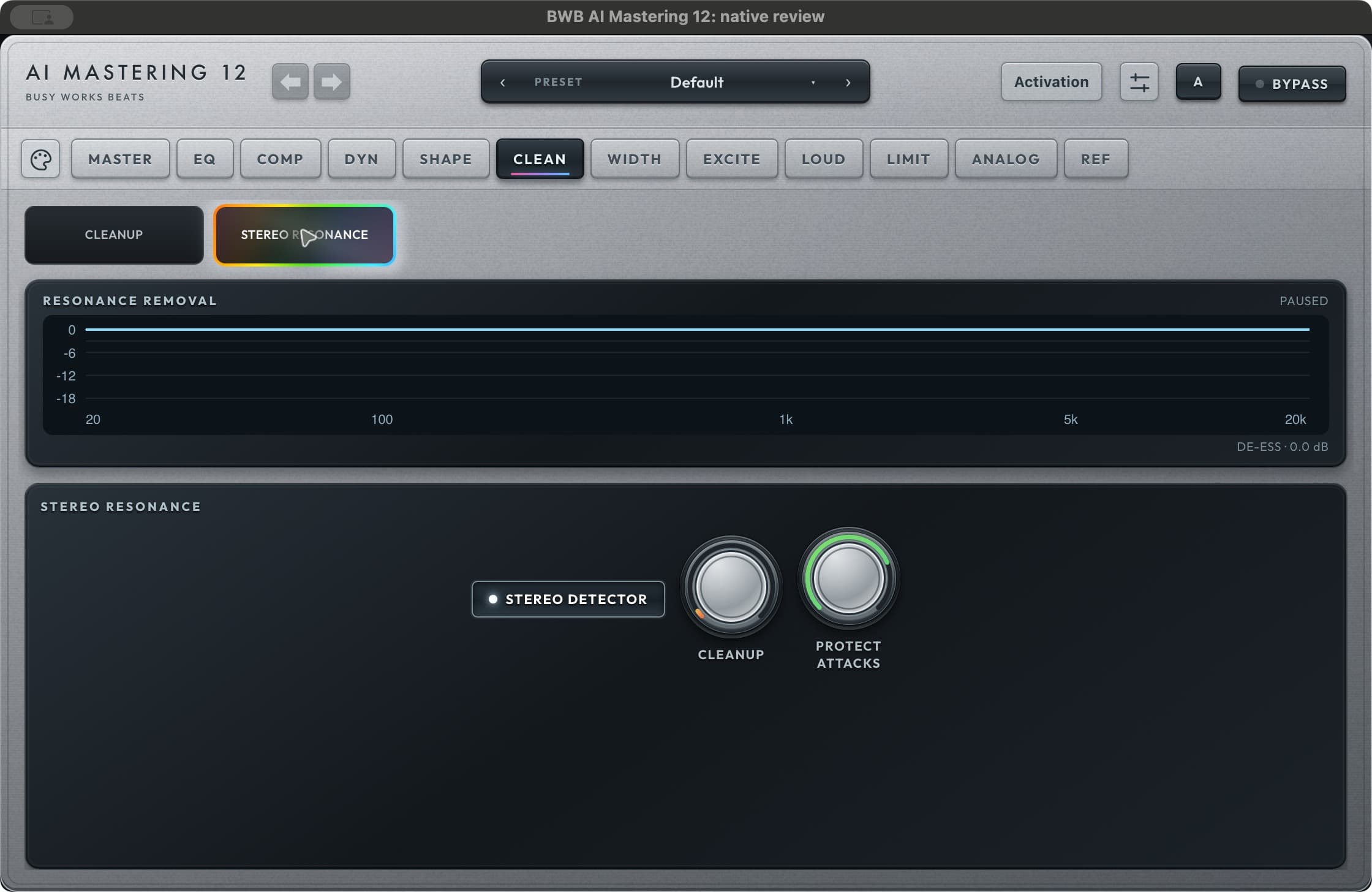
Stereo cleanup with transient protection.
Choose stereo-aware resonance cleanup and adjust onset protection to reduce persistent ringing while retaining attacks. Compare the result with the original at matched loudness.
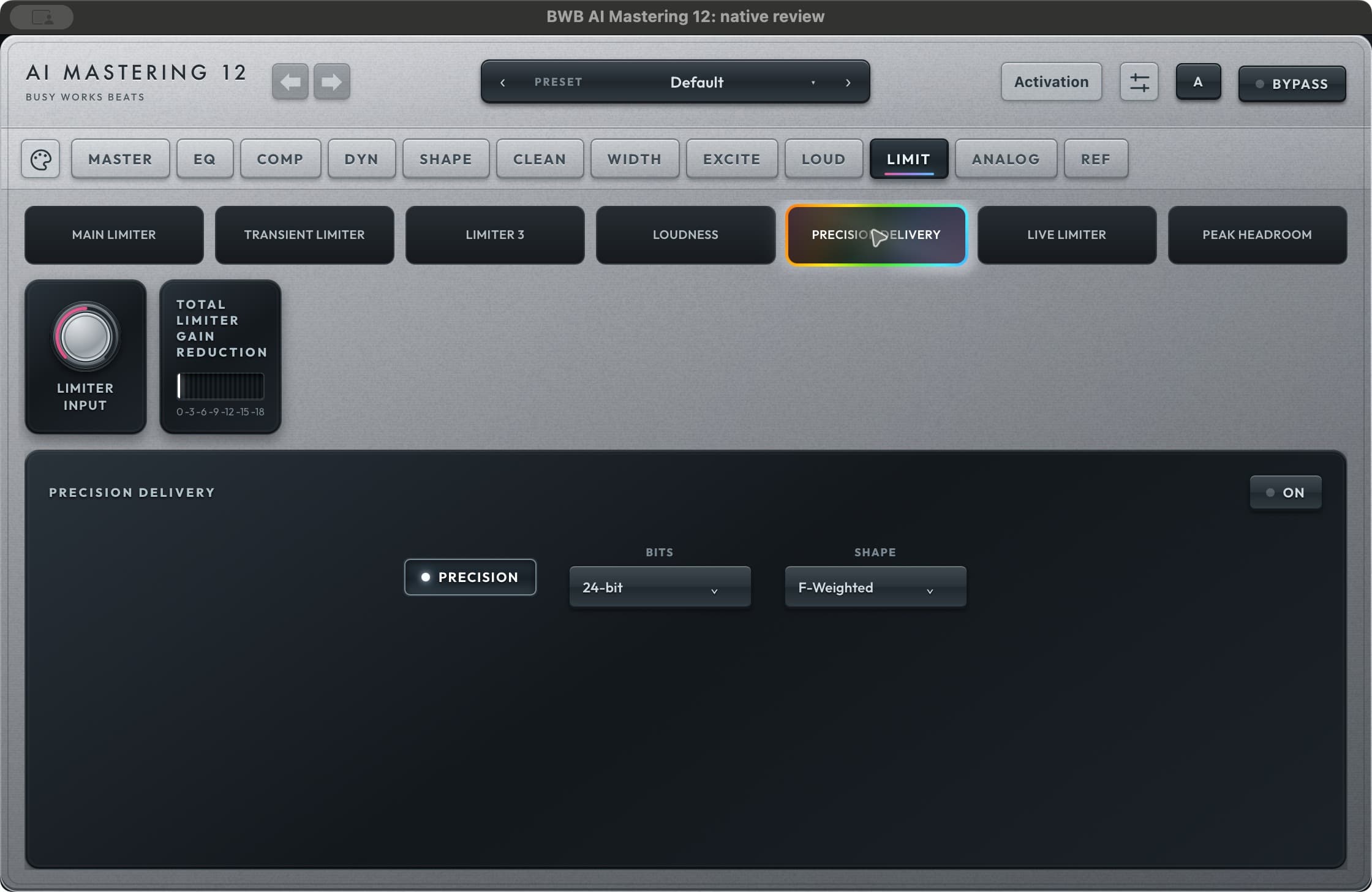
Finish at the right word length.
Precision Delivery brings bit-depth and noise-shaping choices together for final output. Apply word-length reduction once, at the end of your delivery chain.
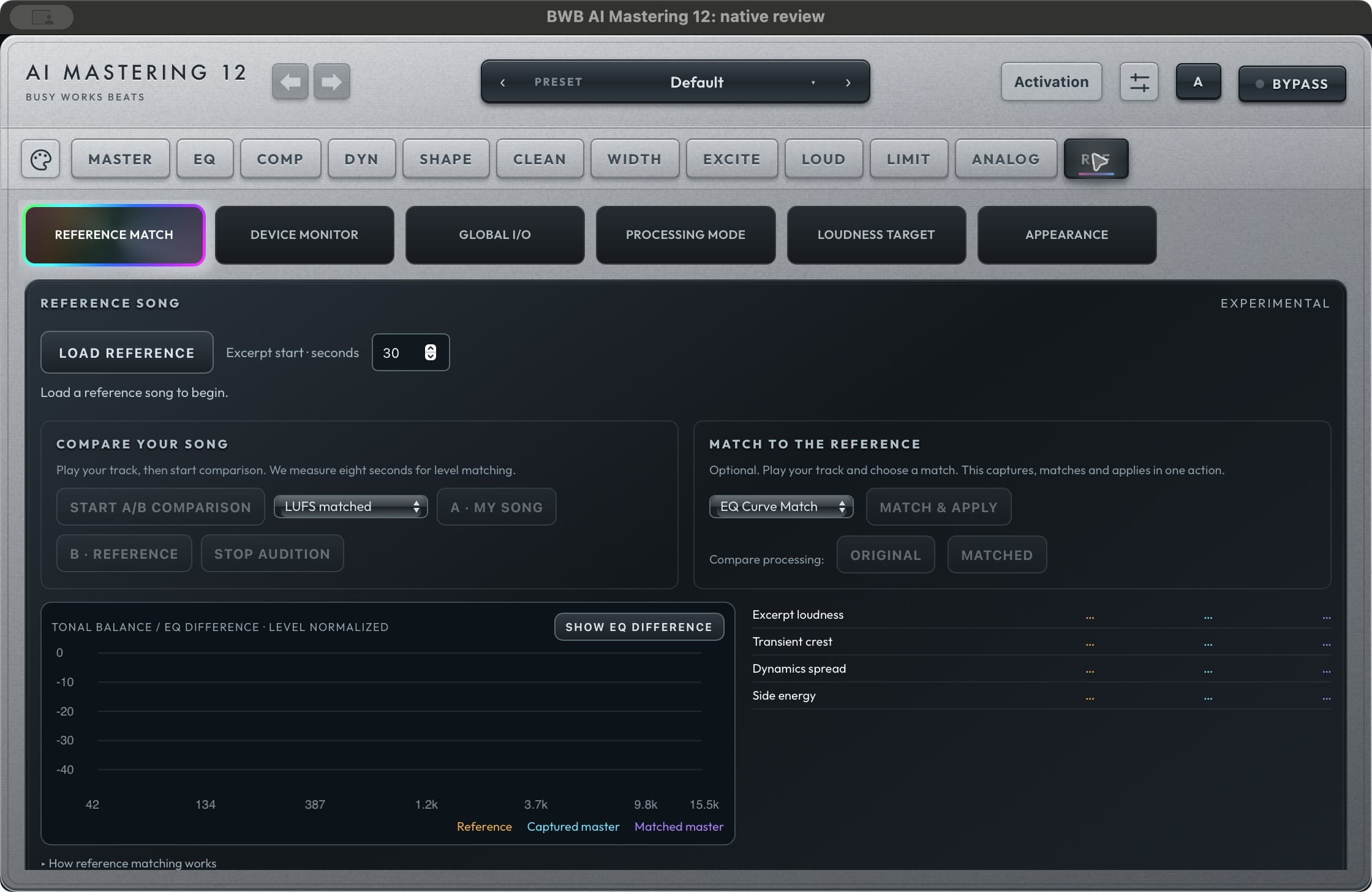
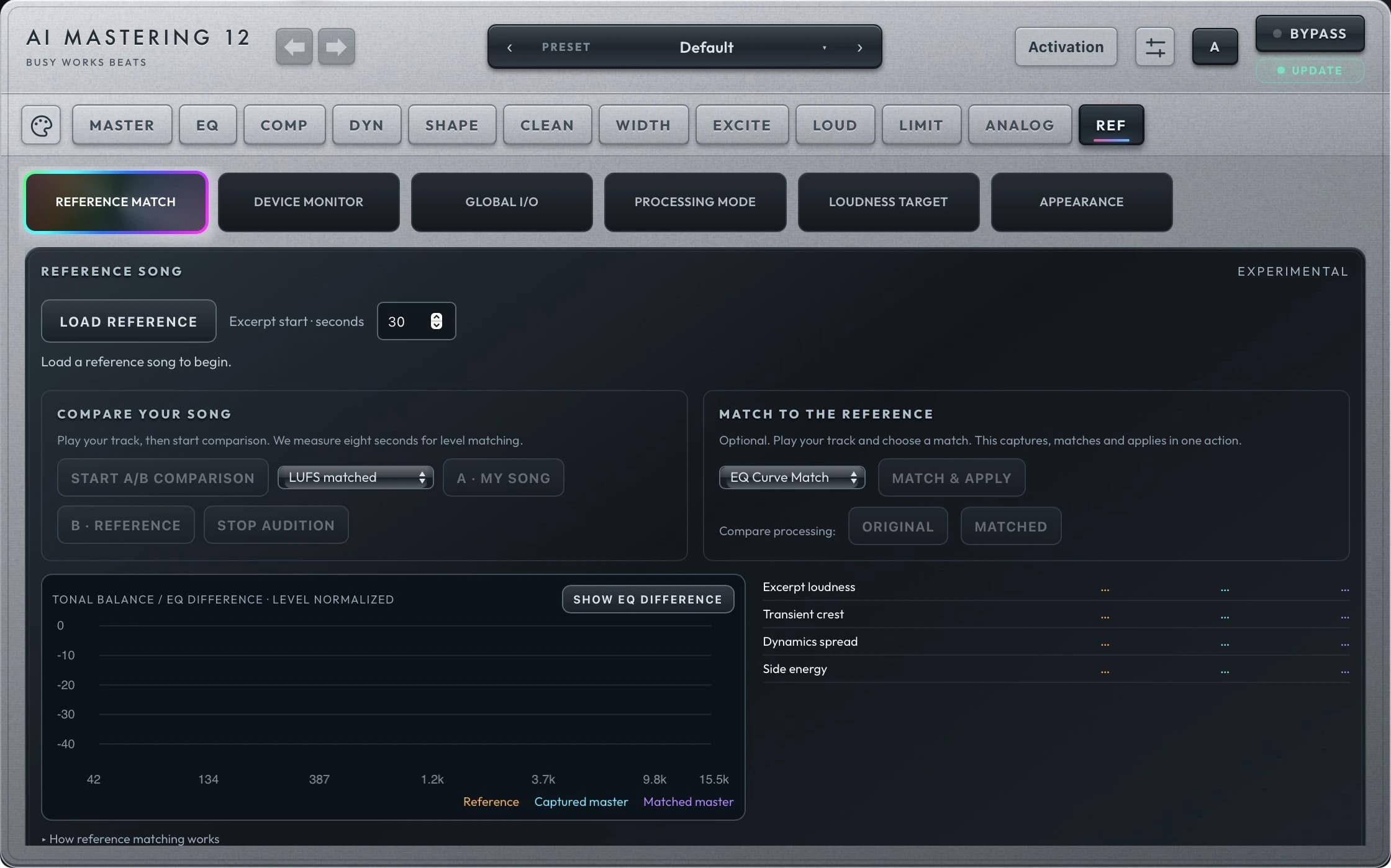
A reference you can actually compare.
Load a reference song, audition with level matching and explore experimental EQ Curve Match. Compare Original and Matched processing before committing to the result.
Fast start. Advanced control.
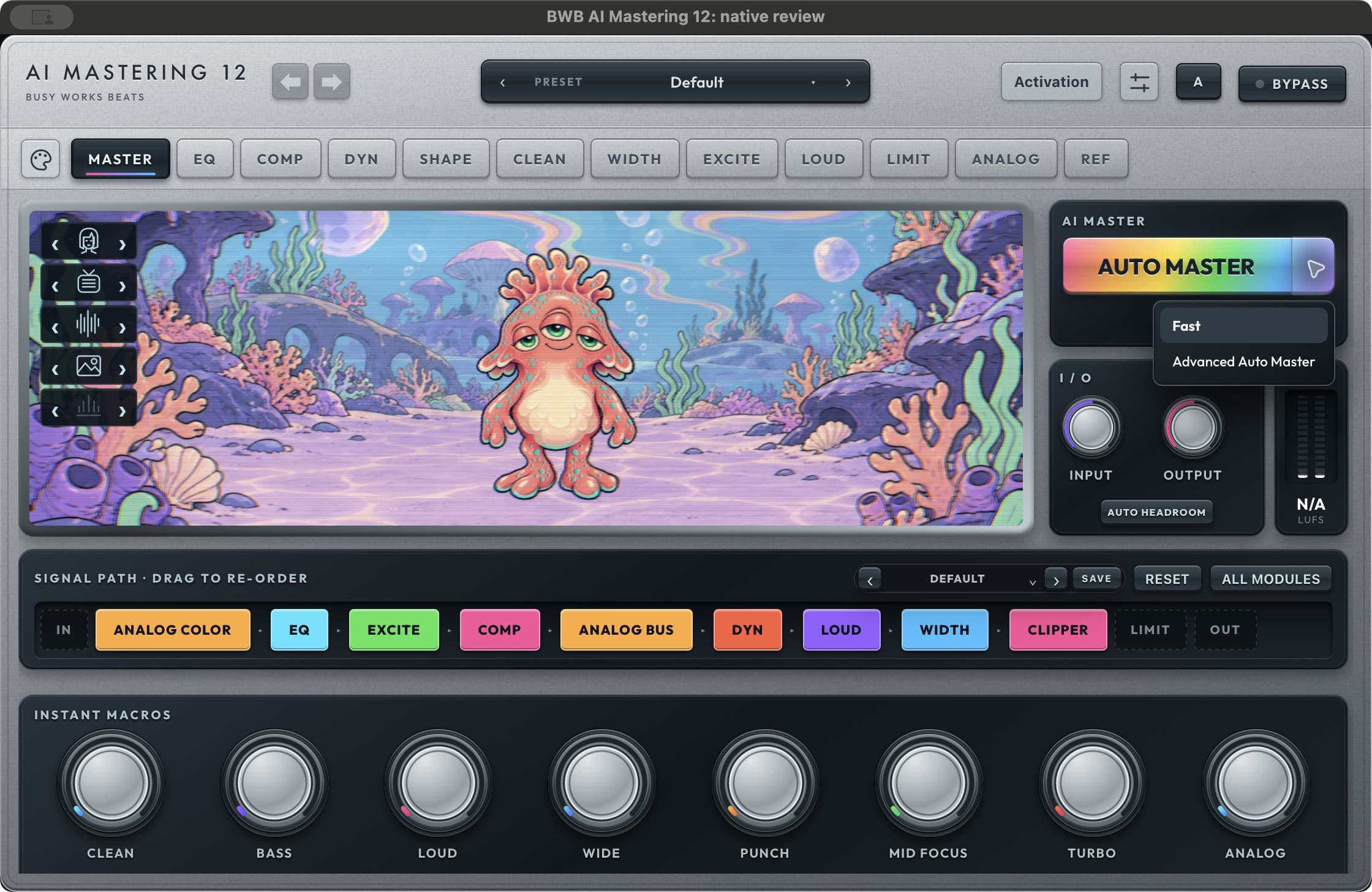
Fast Auto Master uses an 8-second analysis and the adaptive macro recipe. Choose Advanced Auto Master for a longer capture and measured loudness fitting. Both leave you in control of the final settings.
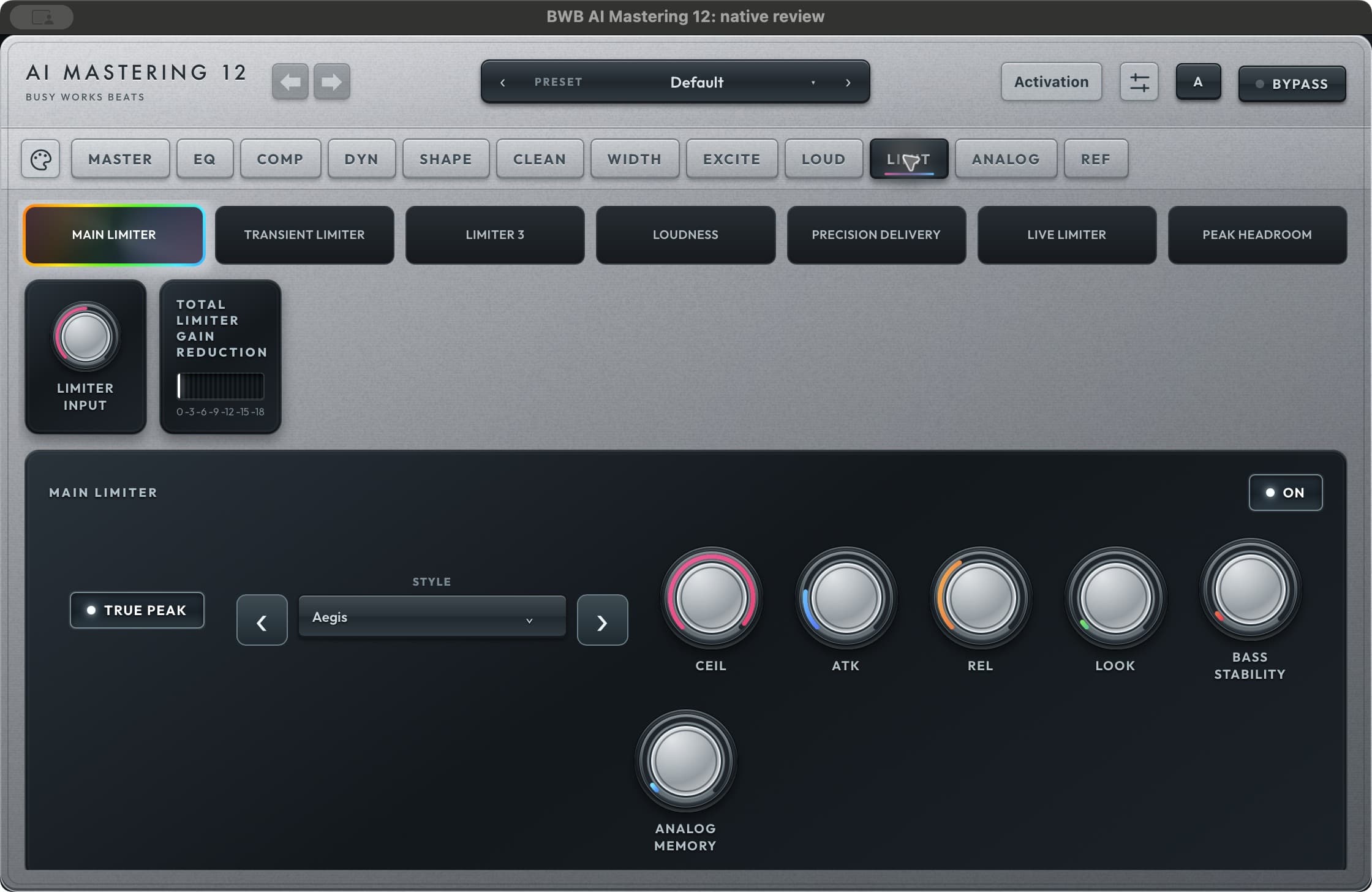
Drive the limiter chain directly.
A dedicated input gain feeds the final limiter chain. Work with the main, transient and third limiters, and read the total limiter gain reduction in one place.
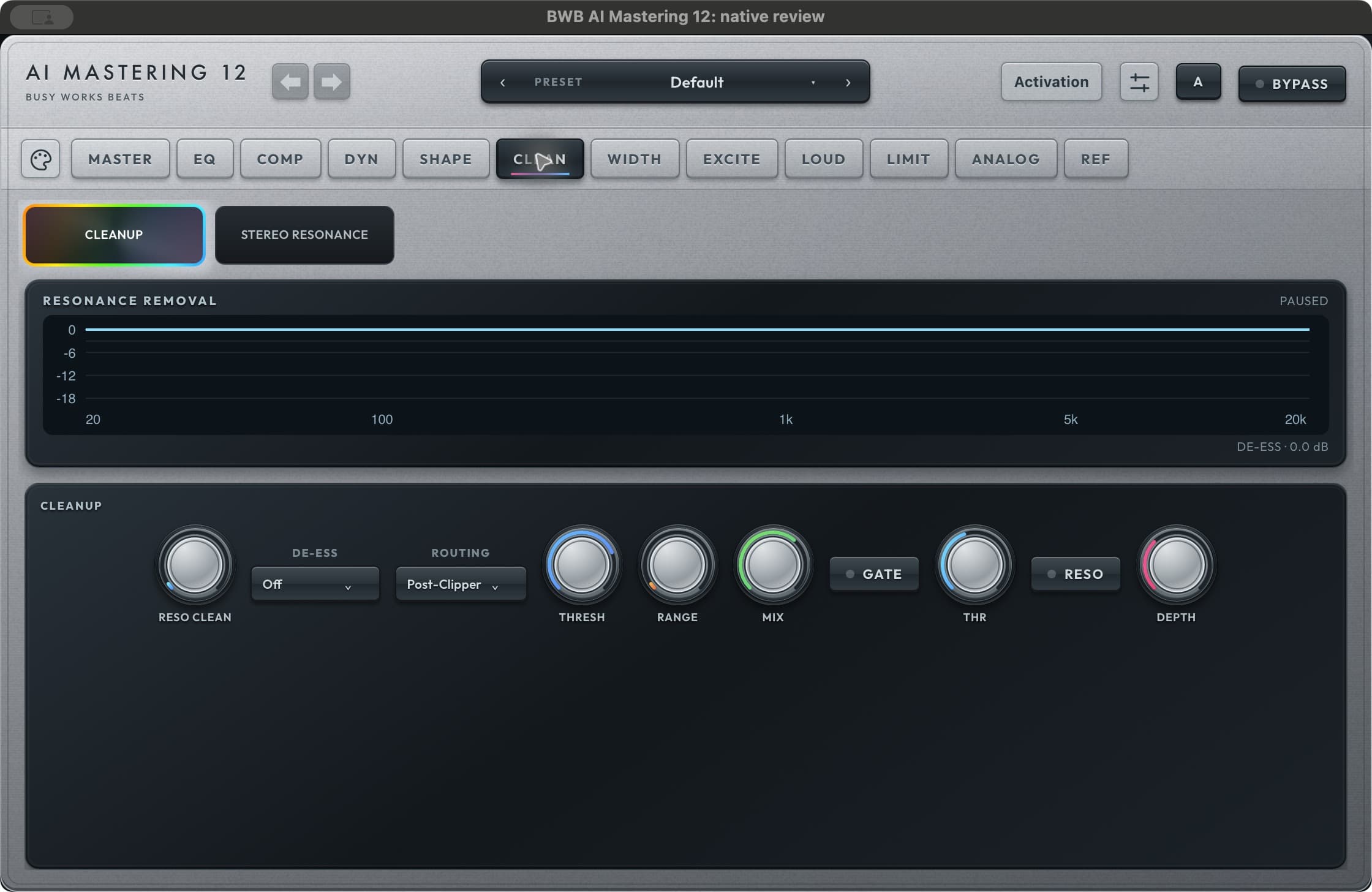
Clean up before you turn up.
The CLEAN page brings resonance cleanup, de-essing, gating and stereo resonance controls into dedicated views, with a correction display to show the processing.
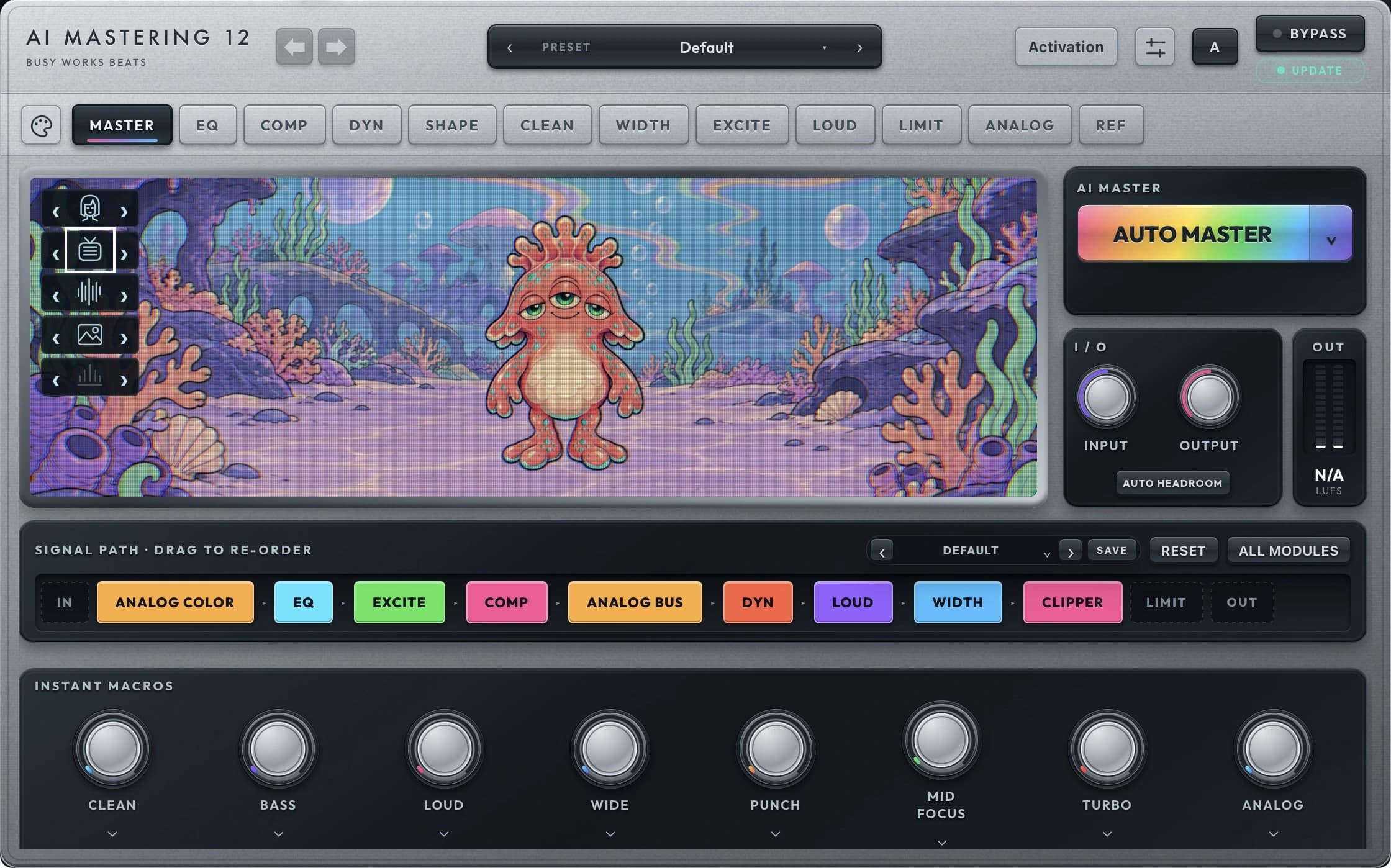
Make it your sound
Simple controls. Room to explore.
Inside AI Mastering 12
A dedicated view for every stage.
Explore the AI Mastering 12 controls below, from the main workspace to the details that shape your sound.
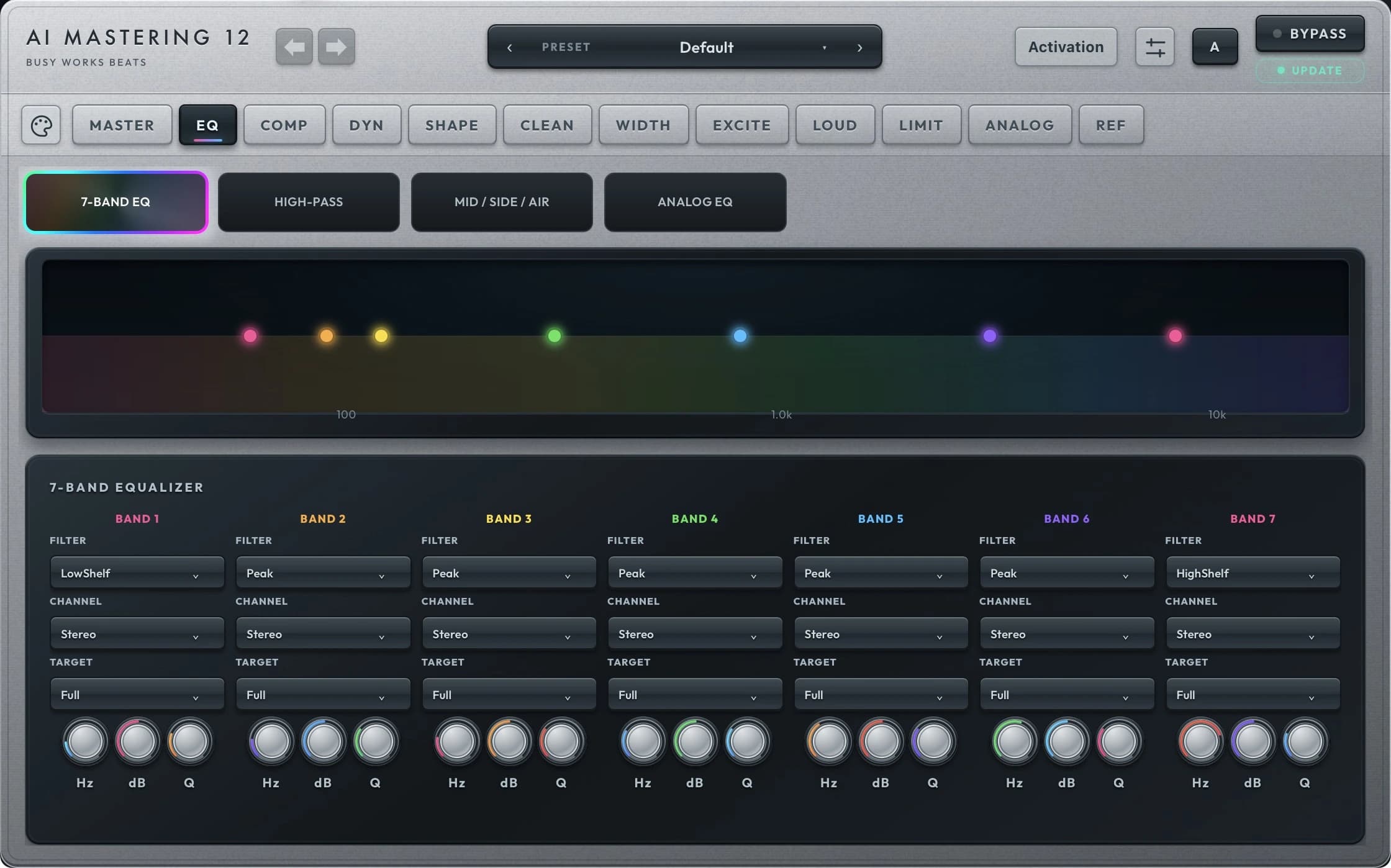
EQ
Shape the balance before it gets loud.
Drag the seven-band EQ curve, choose each band’s type and stereo routing, and target the full signal, transients or sustain. Refine the low end with high-pass filtering and shape the center and sides independently.
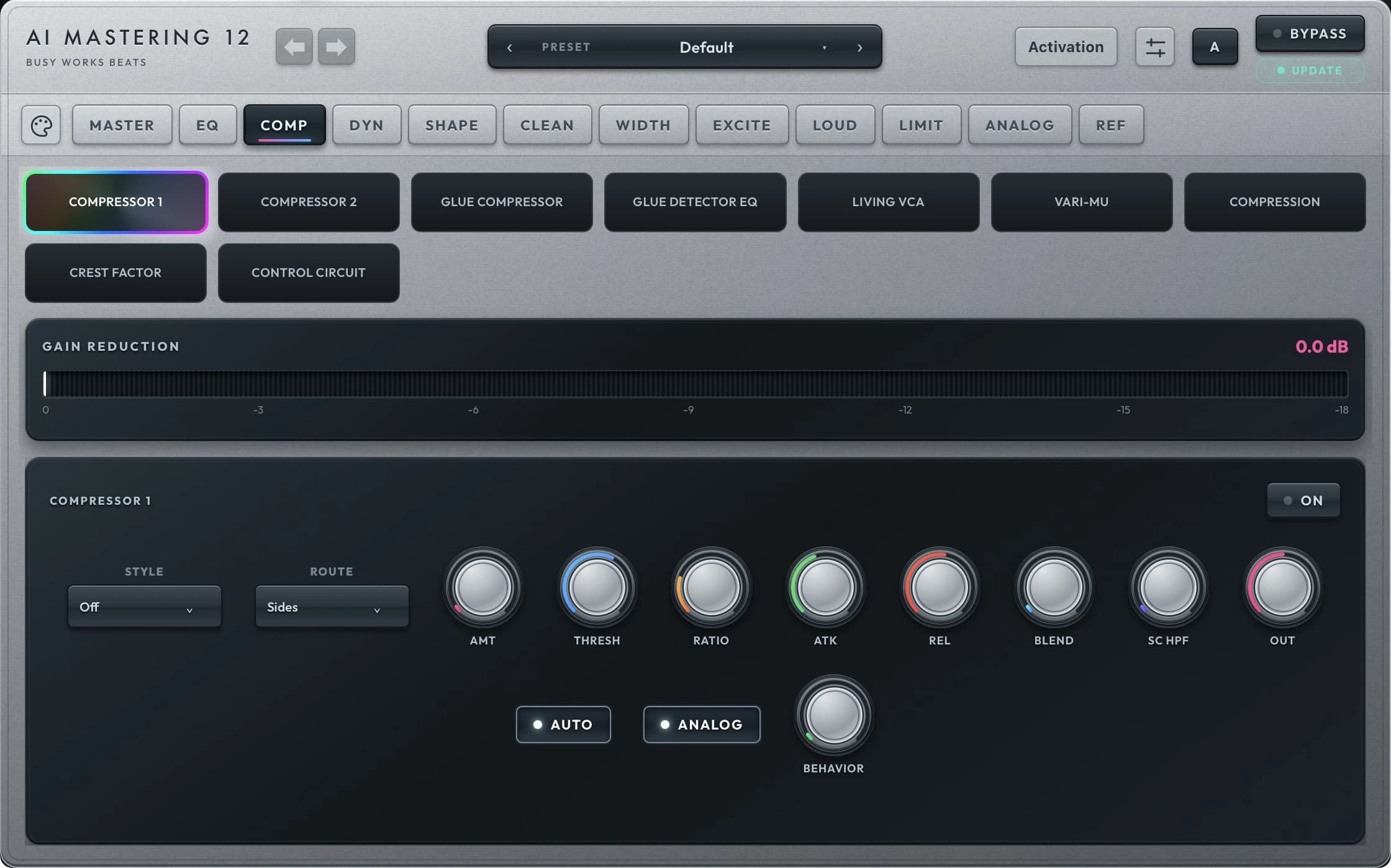
COMP
Find the glue. Keep the impact.
Two compressor sections give you control over character, attack, release, ratio and blend. Choose stereo, mid or sides routing, then explore series or parallel compression.
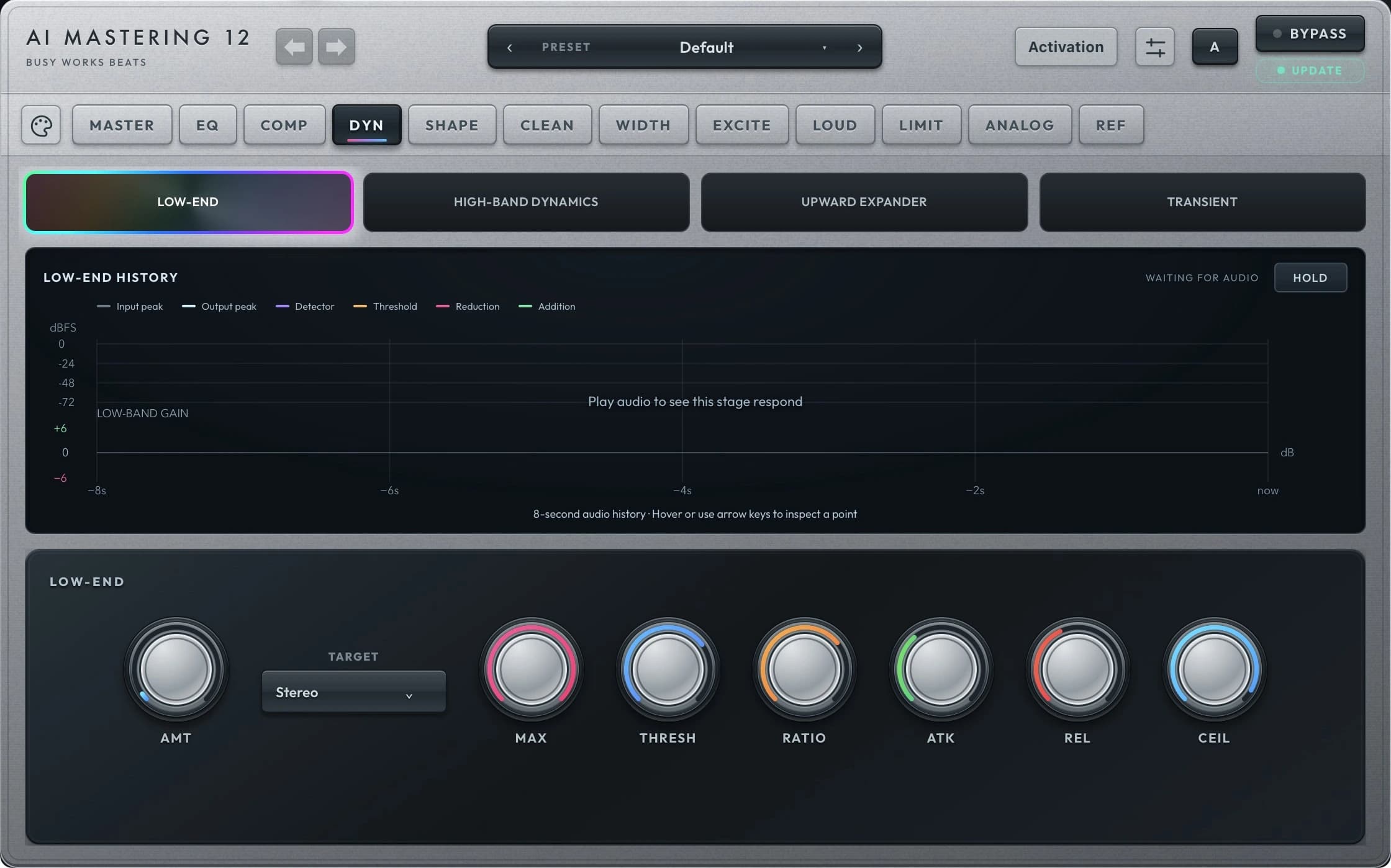
DYN
Control punch and movement.
Refine the envelope with an expander, transient shaper and bass dynamics. Adjust attack, sustain and low-end behavior to keep the master focused before its final loudness stages.
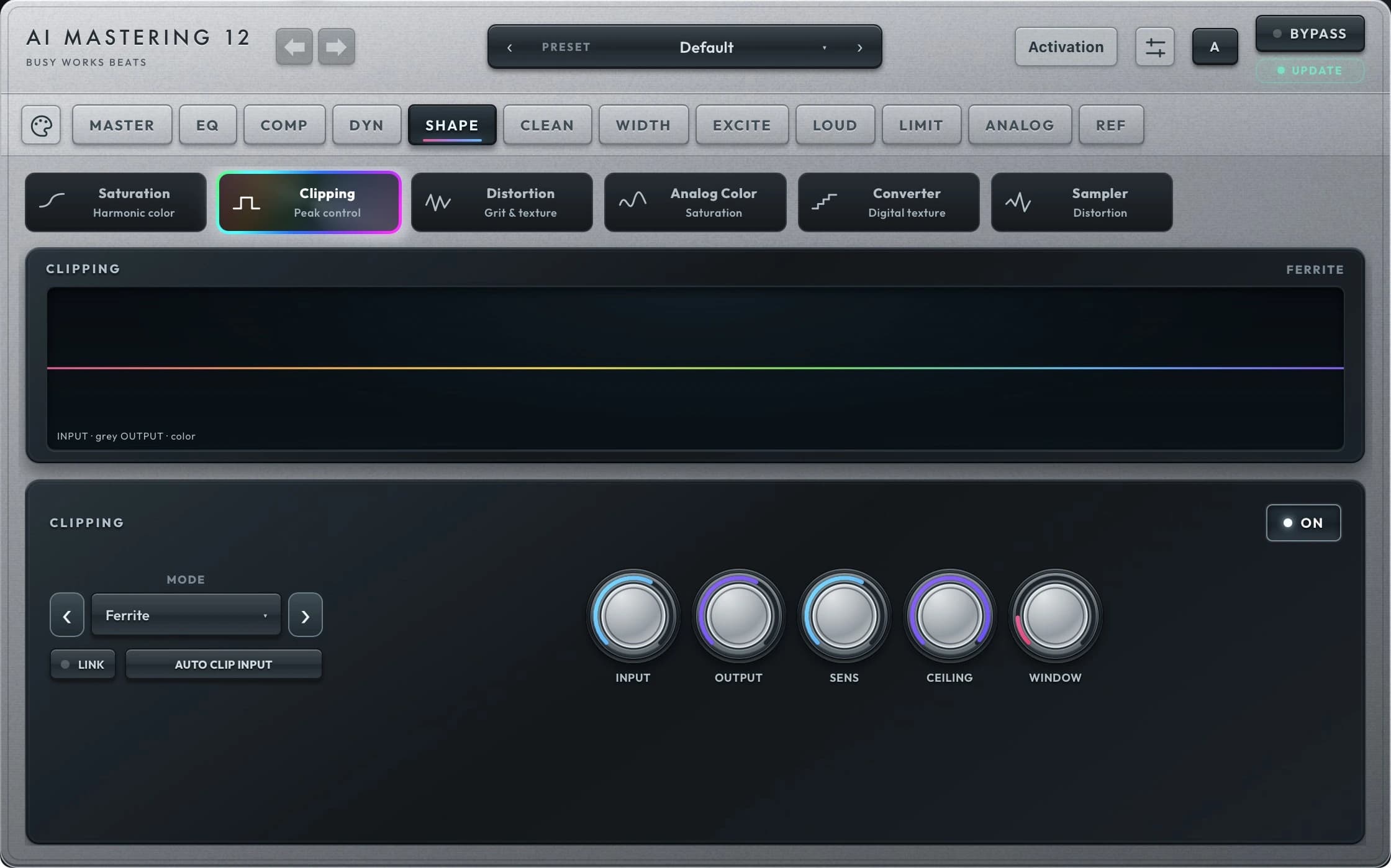
SHAPE
See how your peaks take shape.
Watch the clipper view while you adjust clipping, converter color, drive and cleanup. Explore the available clipping engines and blend the amount that suits the record.
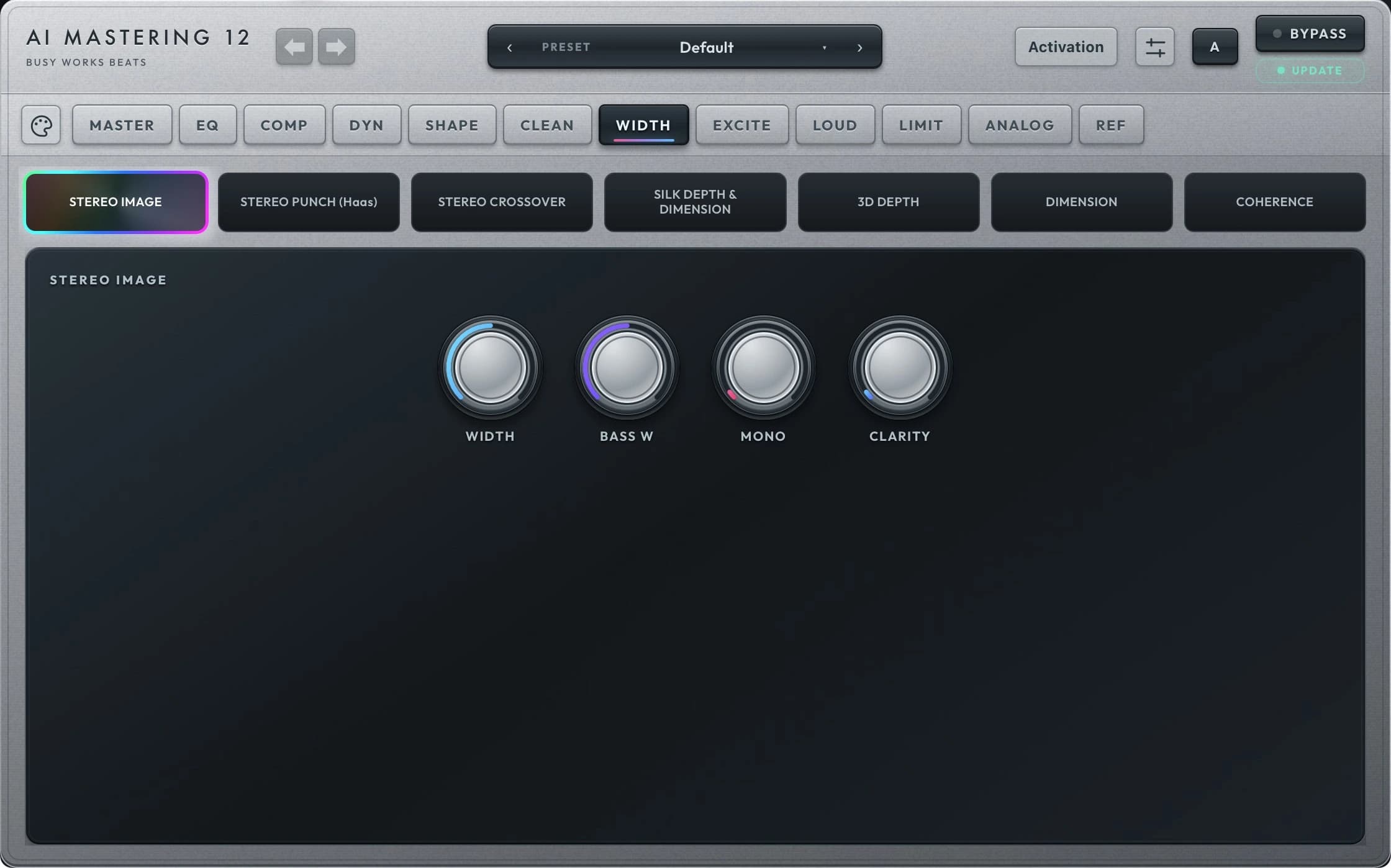
WIDTH
Open the sides. Focus the center.
Shape stereo width and low-frequency mono focus, then explore bass, mid and high stereo controls. Make room across the image while keeping the important parts centered.
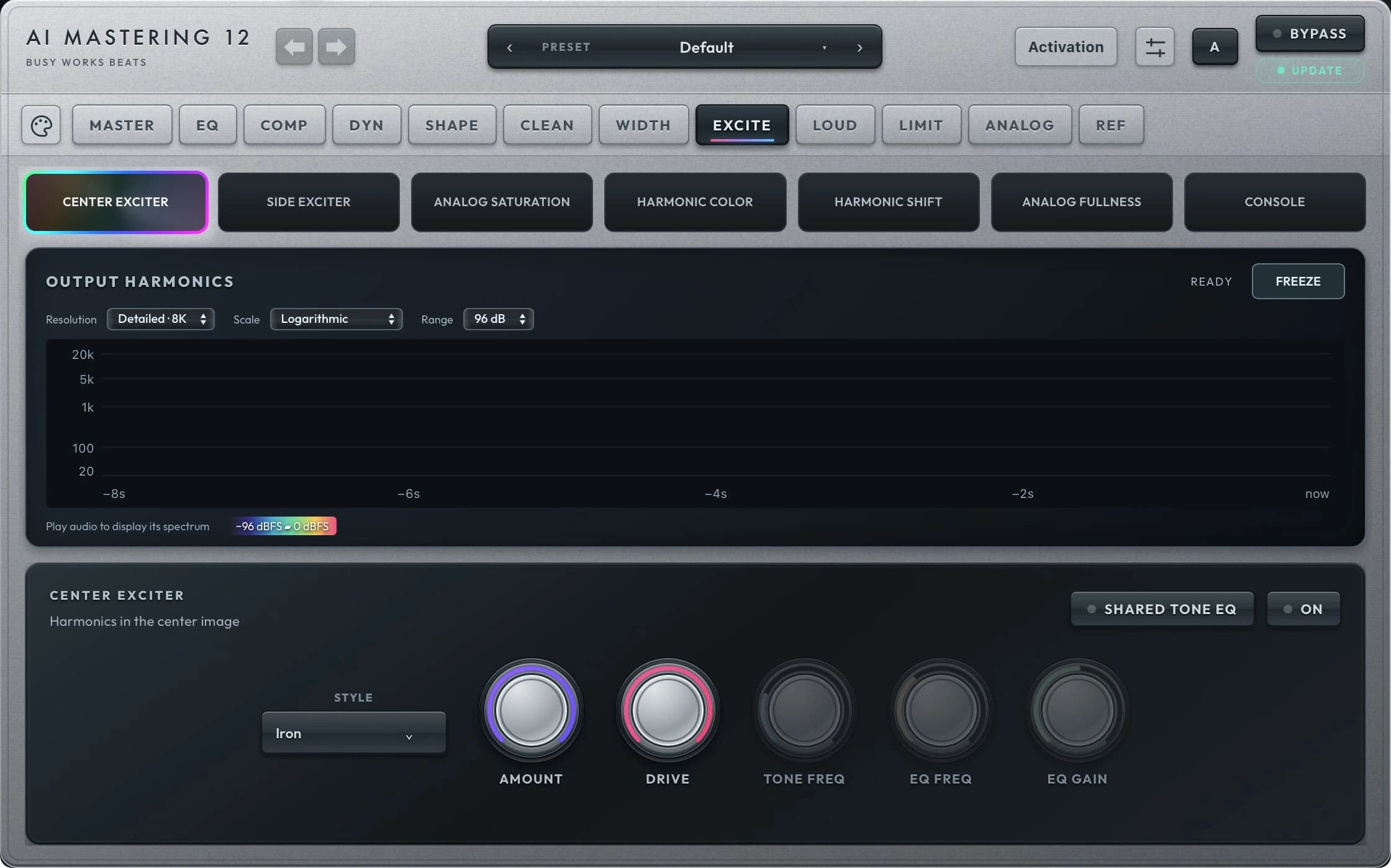
EXCITE
Add presence, warmth and texture.
Explore mid and side excitation, saturation and harmonic color. Use the independent amounts and blends to bring forward the details your mix needs.
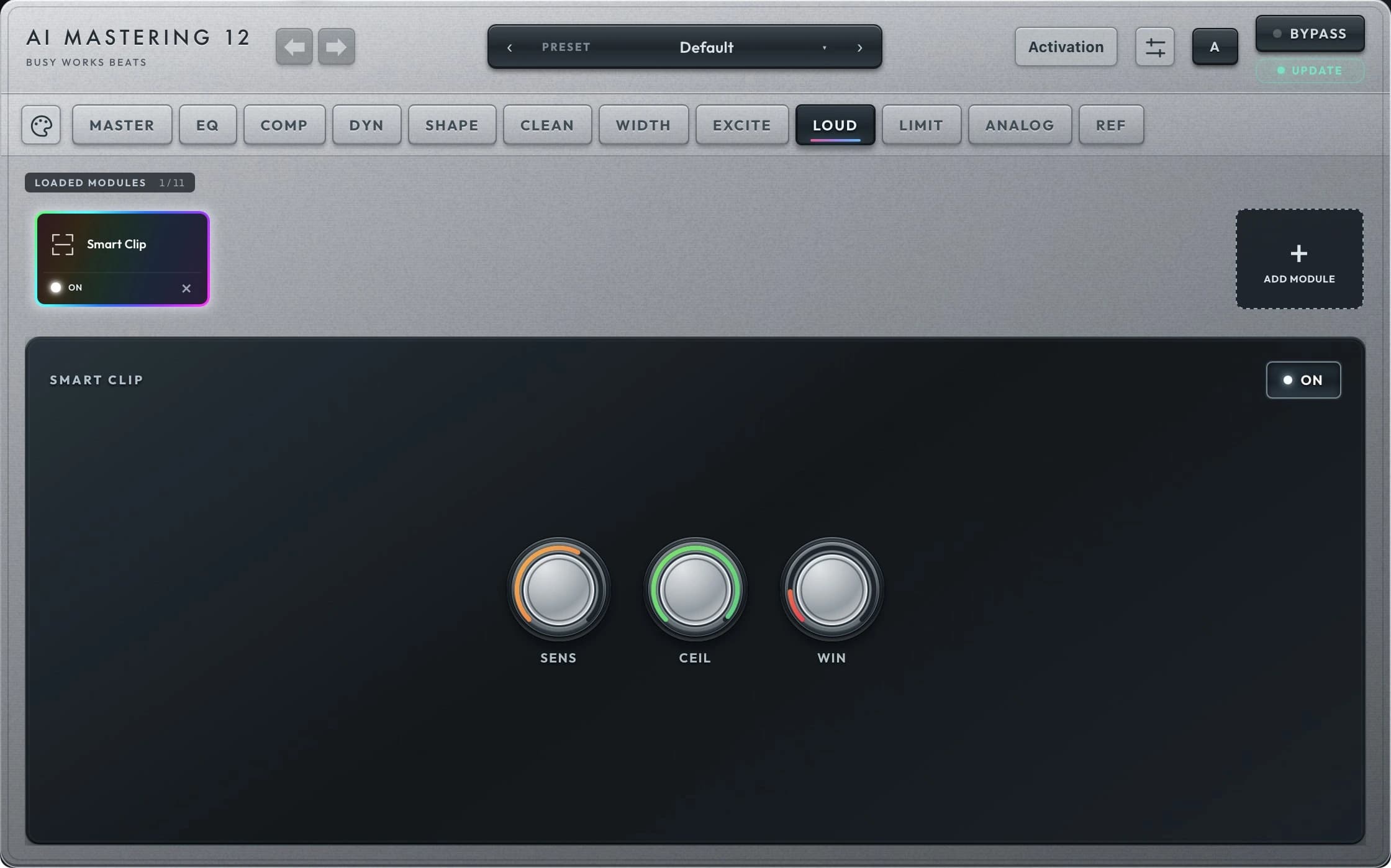
LOUD
Build level with intention.
Choose loudness and headroom controls alongside genre targets and loudness processing. Watch the meters as you balance level, density and the feel of the mix.
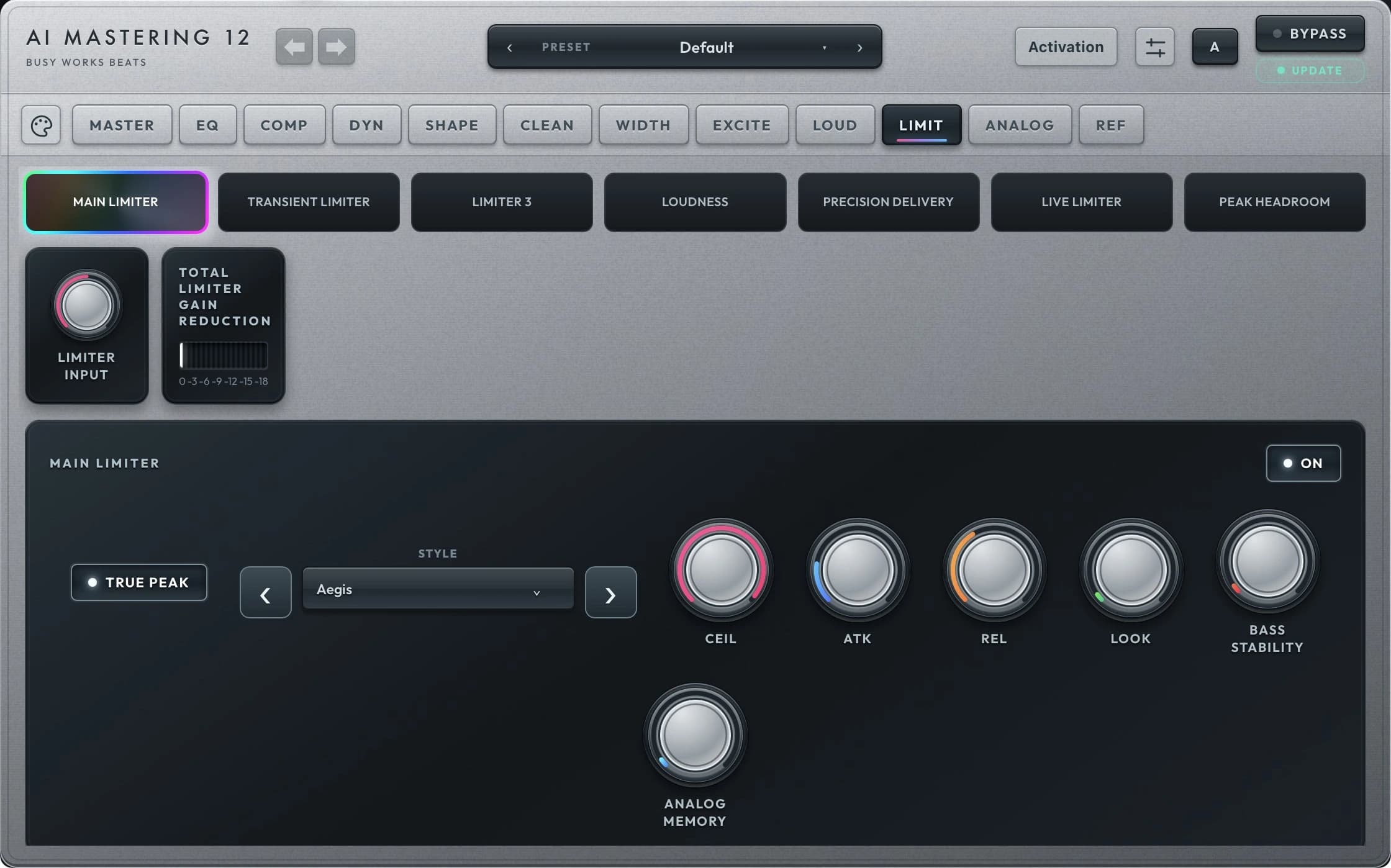
LIMIT
Put the finishing controls in reach.
Refine the main limiter, transient limiter and third limiter, with ceiling, timing and true-peak controls. Adjust final loudness and noise shaping from the same dedicated page.
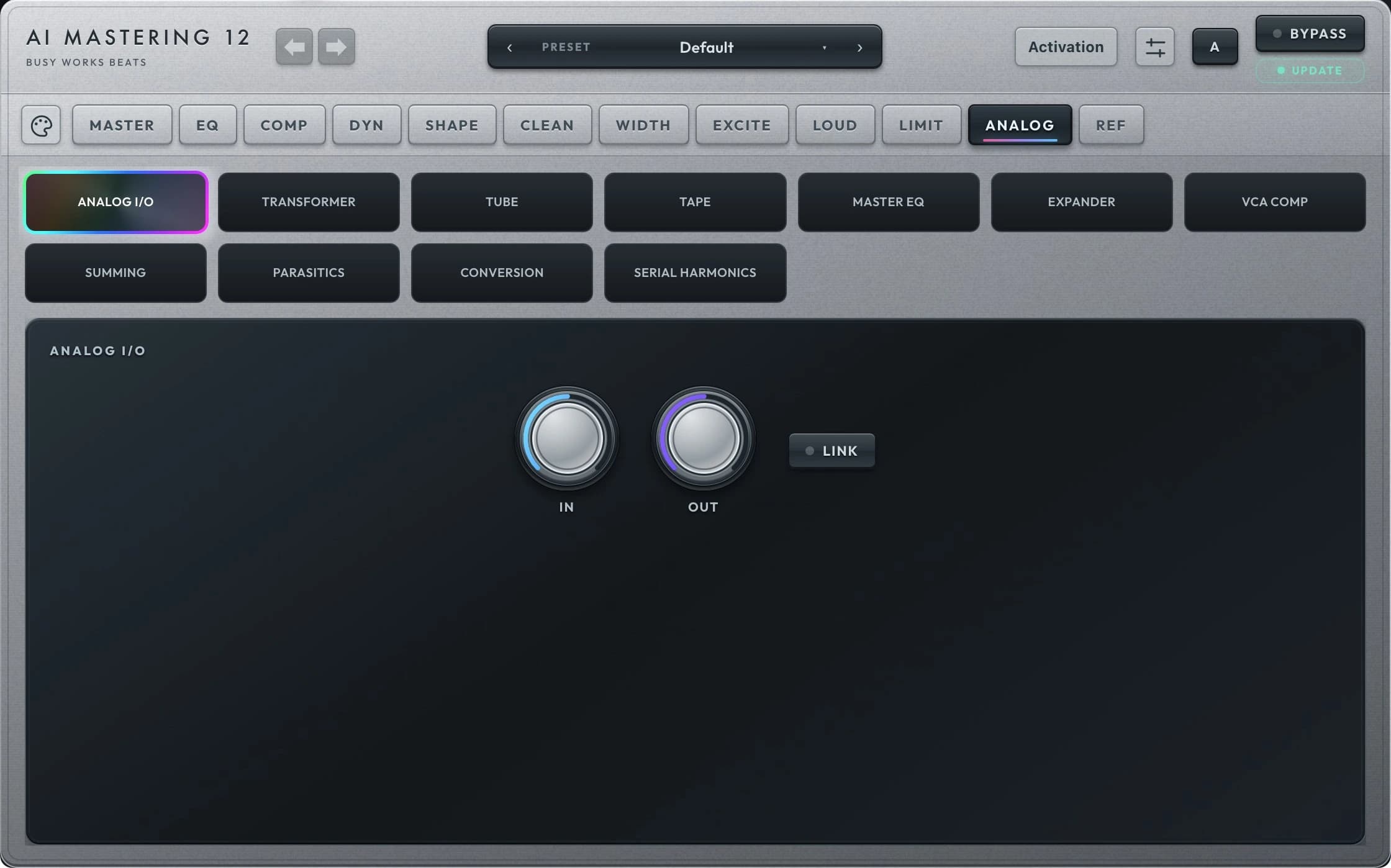
ANALOG
Give the master its character.
Explore transformer, tube, tape, EQ, expander, bus compression, summing, parasitics and conversion stages. Blend each section and use its gain controls to shape the tone.
REF
Hear your master in context.
Audition reference-monitor responses for studio monitors and everyday listening devices. Manage global input, output, auto gain and oversampling, and choose the interface’s background style.
Your account unlocks your plugin.
- Create your account using the exact email address on your receipt, or sign in if you already have one. Google, email link, and password sign-in are available.
- Download the available Mac or Windows installer from your account. The Download Manager is optional.
- Open Activate in the plugin and sign in with that same account. Set a password in your account first if you use Google or email links.
3 device activations. Signed activation supports offline use for its validity period and renews when you reconnect.
Included with your collection.
Black Box Bundle ownership includes this plugin. Premium Deluxe includes plugin access while your qualifying membership remains active. Sign in with your purchase or membership email to see your access.
Use in a compatible audio host. Check platform availability above before purchasing. Download and installation are managed through your account.
Make your next session sound different.
Bring AI Mastering 12 into your workflow.