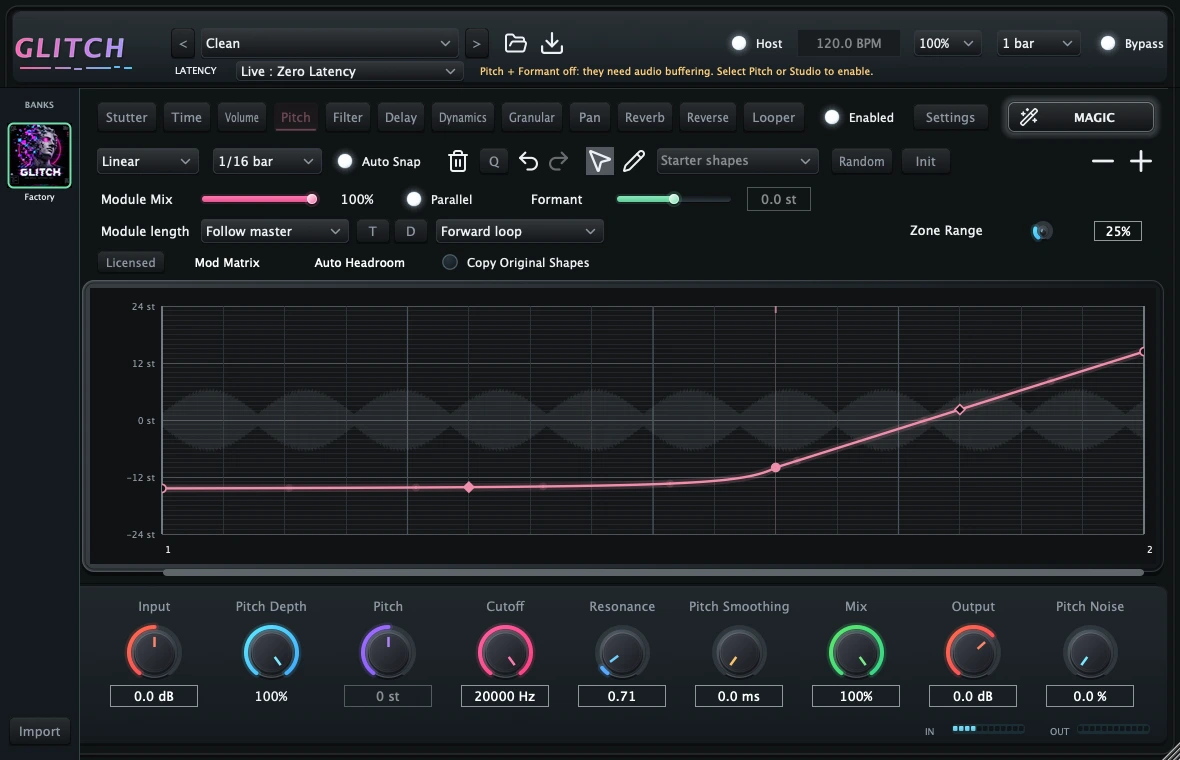
01 / Pitch
Bend the notes. Find a new direction.
Draw pitch movement across your pattern. Work with editable nodes and curves, then adjust pitch depth, formant and smoothing to shape the result.
Busy Works Beats · Creative multi-effect plugin
Turn your audio into movement. Draw patterns, bend curves and explore eleven effects that follow the tempo of your session.
Card required. Trial and payment details below.
Hear the difference
Switch at the same point in the song. Before is the original; After uses Glitch.
1 / 9 · Glitch
One workspace. Eleven ways to explore.
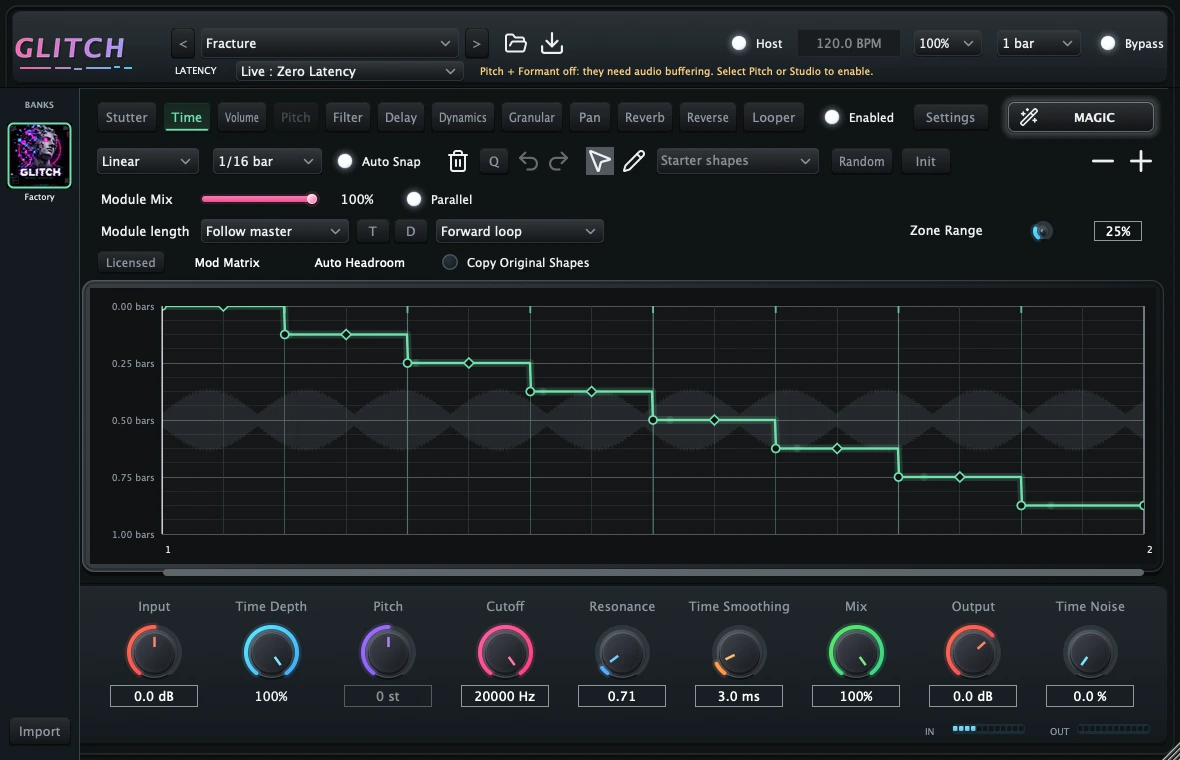
Start with a factory pattern or draw your own. Combine time shifts, pitch movement, filters and texture, then blend the result into your track.
01 / Pitch
Draw pitch movement across your pattern. Work with editable nodes and curves, then adjust pitch depth, formant and smoothing to shape the result.
02 / Filter
Build rhythmic filter sweeps with your own envelope. Choose the filter type and adjust cutoff, resonance and depth while the pattern follows your session tempo.
03 / Volume
Create fades, pulses and rhythmic gates with an editable volume envelope. Use snapping for precise placement, or bend the curve to bring your own feel to the pattern.
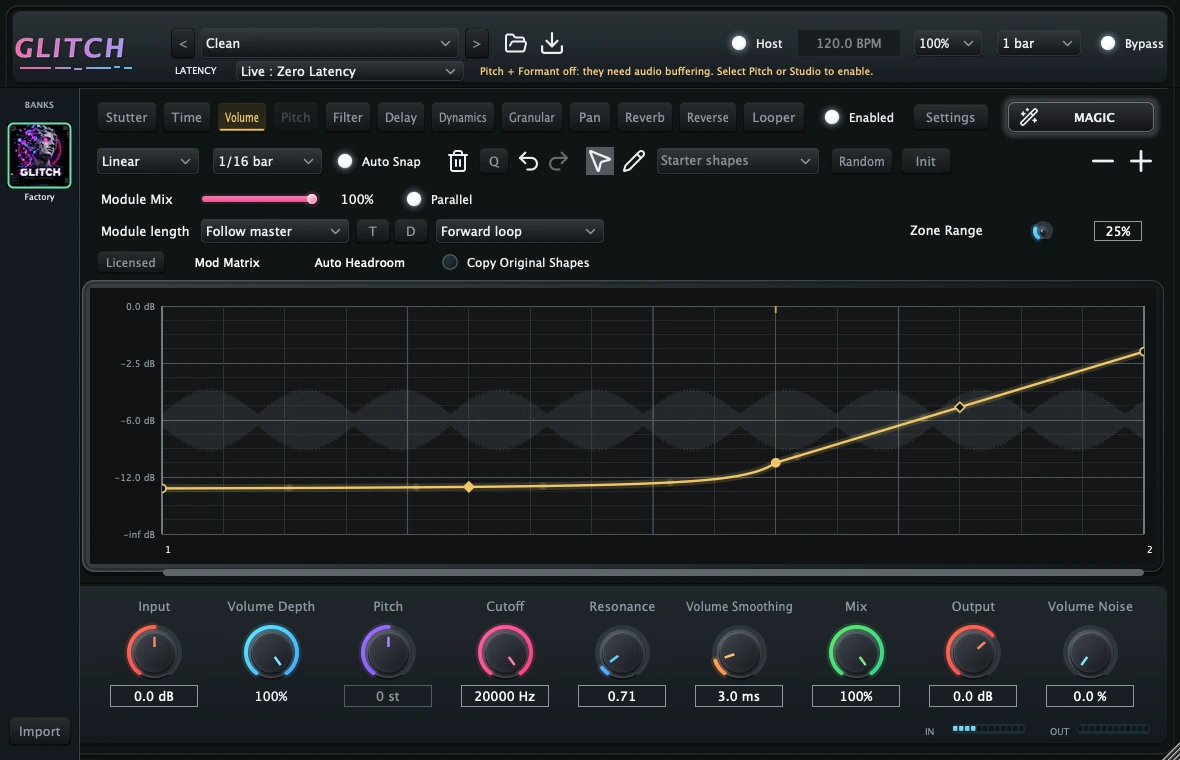
Next update preview
New screenshots from the current development build. These additions are being prepared for the next customer installer update.
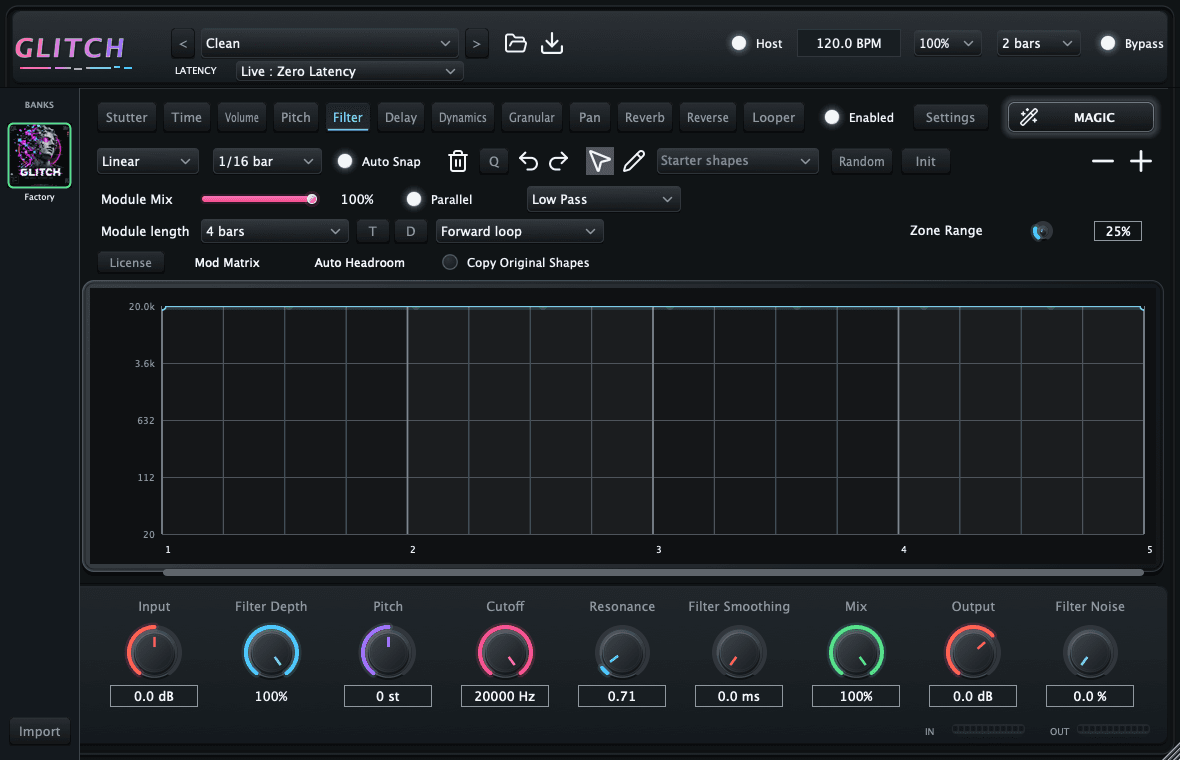
Let a filter sweep across four bars while the other effects repeat every bar. Independent module lengths stay aligned to host tempo. Add triplet or dotted timing with the compact T and D controls.
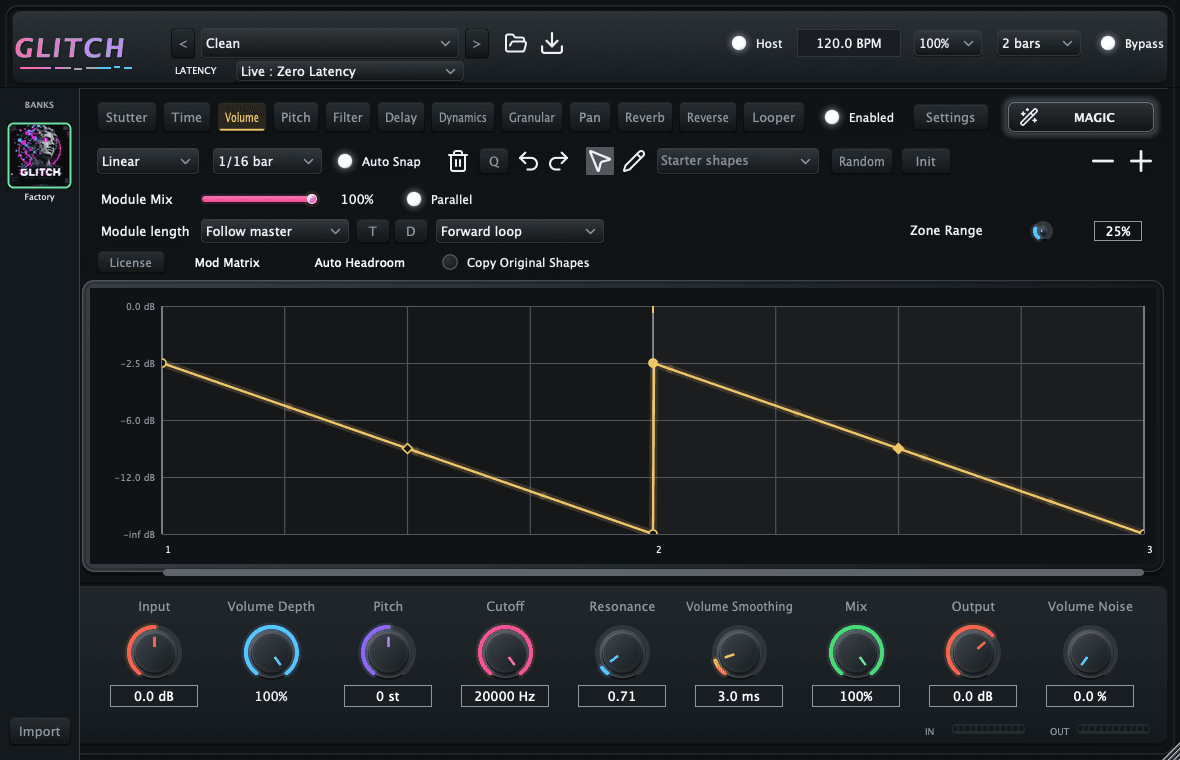
Linear nodes create ramps, and Magic follows your selected shape. When increasing the master length, choose Copy Original Shapes to repeat the existing pattern across the longer phrase. Leave it off to stretch the pattern instead. Modules with their own length keep their independent timing.
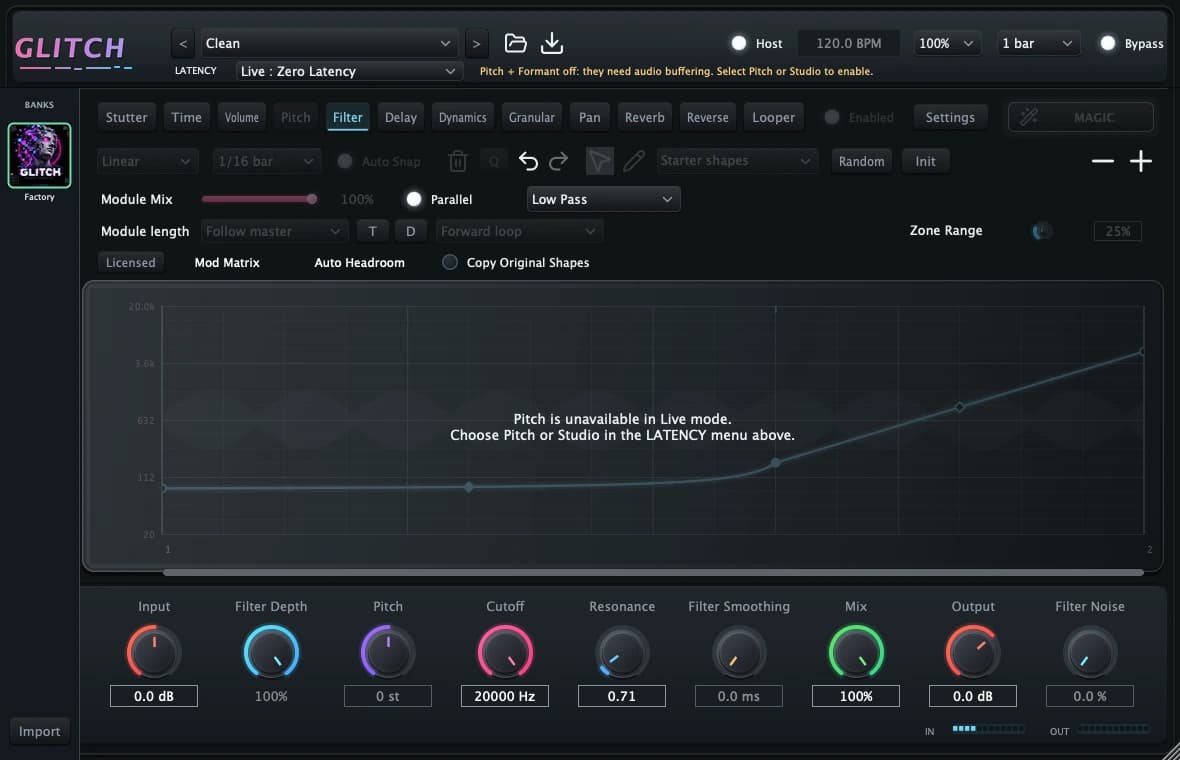
The latest build adds a Live mode with zero added processing latency, alongside buffered Pitch and Studio modes. Live mode leaves buffered pitch and formant processing off. The Looper expands the workspace with capture and playback controls.
Bring a new rhythm to your session
Busy Works Beats · Audio plugin
Turn static audio into rhythmic movement. Draw envelopes, bend curves and build patterns across a creative multi-effect engine that follows your session tempo.
$49one-time purchase
Included for Black Box Bundle owners and Premium Deluxe members while their membership is active.
Already own it? Sign inMac: AU + VST3, Apple Silicon and Intel. Windows: VST3.
Then one $49.00 payment. Permanent ownership after payment.
Card required. Eligible first-time accounts receive 7 days free, then the payment terms shown above. Cancel during your trial to avoid the charge. Permanent ownership after all paid installments. Cancel before payoff to end access. If you have already used the trial, your first payment is due today.
Make it your sound
Draw nodes and curves to turn static audio into movement. Start with a shape, then make it yours.
Move between pitch, filter, stutter and more. Blend each effect with its own mix control.
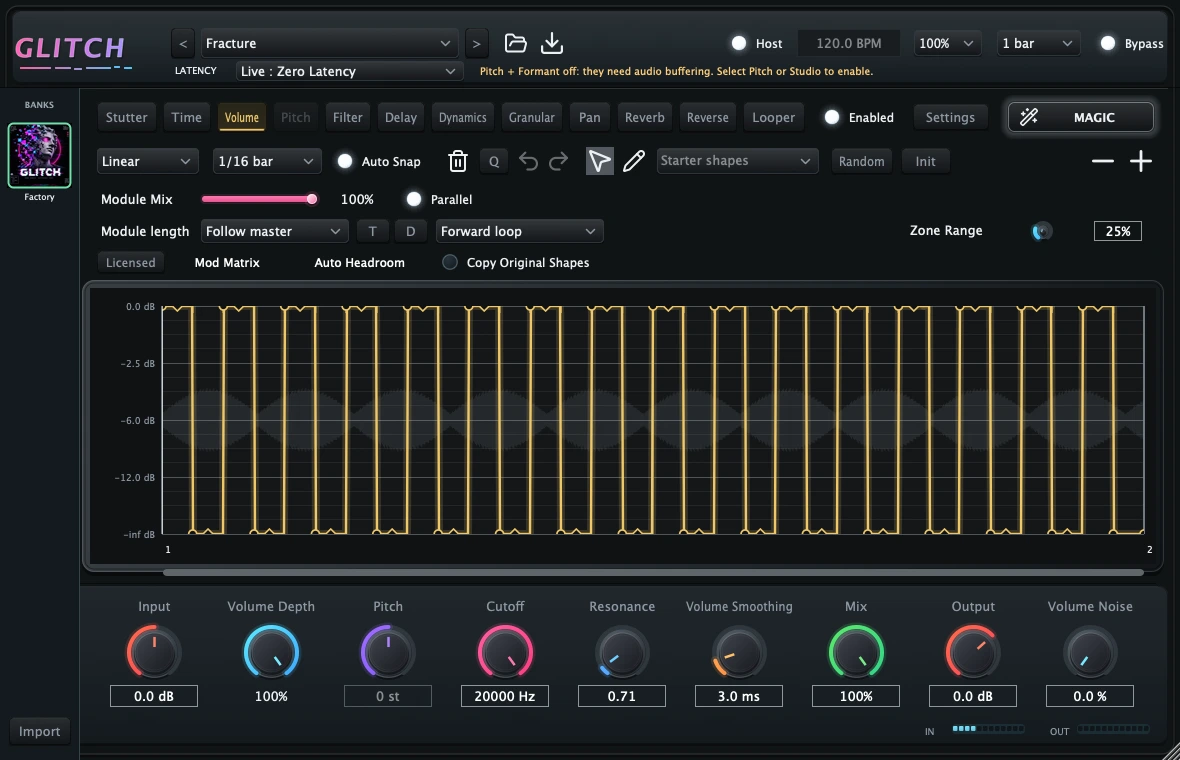
Follow your host tempo and set each module's pattern length. Keep quick repeats alongside longer movements.
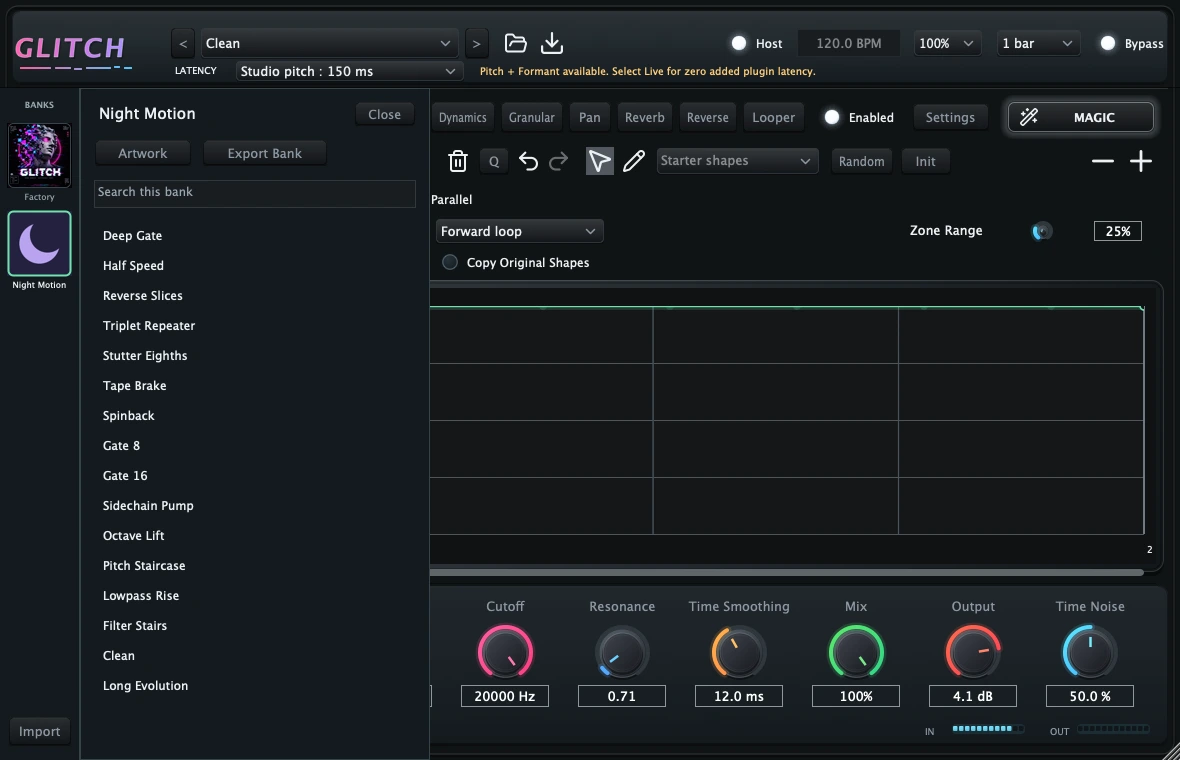
Start with factory patterns, save your own presets and banks, and undo as you experiment.
3 device activations. Signed activation supports offline use for its validity period and renews when you reconnect.
Black Box Bundle ownership includes this plugin. Premium Deluxe includes plugin access while your qualifying membership remains active. Sign in with your purchase or membership email to see your access.
Use in a compatible audio host. Check platform availability above before purchasing. Download and installation are managed through your account.
Bring Glitch into your workflow.