Drum Kits
Worked with the Top Brands in the World







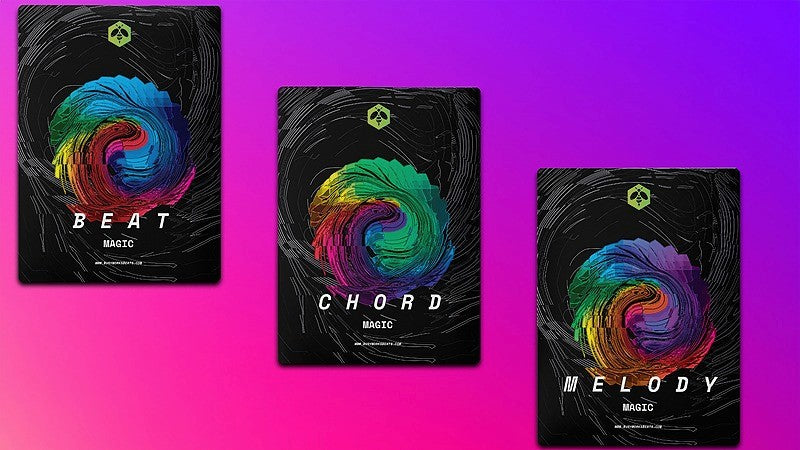
Our Best-Sellers




What Our Customers Are Saying
Music Production Blog

How to Create a Viral AI Music Video with Google Veo 3.1 (Step-by-Step Guide)
Have you ever wanted to drop a high-budget music video without spending thousands on a film crew? The era of AI-generated music videos is officially here. At Busy Works Beats, we’re always looking for the most efficient workflows for producers and artists. In this guide, we’re breaking down the exact process used to create a cinematic AI music video using Google’s Veo 3.1 and Gemini.
Why Use AI for Your Music Videos?
Creating a traditional music video involves locations, lighting, and expensive editing. With Google’s latest AI tools, you can generate a professional-looking video for around $10 in credits.
The 3-Step Workflow:
-
Character Creation: Use Gemini for high-fidelity image generation.
-
Video Generation: Use Google Flow (Veo 3.1) to animate your character.
-
Post-Production: Edit and sync in CapCut.
Step 1: Design Your AI Artist in Gemini
Before you can make a video, you need a consistent character. Open Gemini and select the "Create Images" tool (Nano Banana Pro).
Pro-Tip: For the best results, upload a photo of yourself for a "face-on" reference shot. This helps the AI keep your likeness consistent.
Example Prompt:
"Make me a rapper with a purple camo BAPE hoodie and diamond chains. Give me a diamond grill and change the background to a music studio with purple and pink gradient lighting."
Once you have your character, download the image. This will serve as your "ingredient" for the next step.
Step 2: Animate with Google Flow (Veo 3.1)
Next, head over to Google Flow. This is where the actual animation happens.
Use "Ingredients to Video" (The Secret Sauce)
Most people make the mistake of using "Frames to Video," which just tries to morph the existing picture. Instead, select "Ingredients to Video." This allows Google Veo to extract your character and place them in entirely new scenes and poses while keeping the outfit and face the same.
Settings to Use:
Model: Veo 3.1 - Fast (Beta)
Resolution: 720p (Ideal for social media and fast processing)
Cinematic Keywords for Rappers
To get that "authentic" music video look, use these specific keywords in your prompts:
iPhone camera with flash: Creates a raw, "live" look.
Fish-eye lens: The classic 90s/Hype Williams hip-hop aesthetic.
Night vision: Perfect for gritty, outdoor scenes.
Laser eyes: Adds a surreal, high-energy vibe.
Sample Scene Prompt:
"Rapper is rapping at camera with rapper hands. iPhone camera with flash, fish-eye lens, night vision effect. Rapper in the woods walking through trees."
Step 3: Editing in CapCut
Once you’ve generated your 8-second clips, it’s time to bring them into CapCut for the final touch.
-
Slow it Down: AI video often looks best when slowed down. Set your clips to 0.5x speed for a more cinematic, stabilized feel.
-
Mute AI Audio: The AI generates its own sound effects (like car engines or crowd noise). Mute these and overlay your actual song.
-
Add Visual FX: Use CapCut’s "body effects" and "video effects" to blend the AI clips together and hide any small glitches.
Final Thoughts: The Future of Music Content
While AI doesn't perfectly lip-sync every word just yet, it is perfect for creating "vibey" B-roll and high-concept visuals that would be impossible to film in real life—like a mystery box from Call of Duty appearing in the middle of the woods.
Budget Breakdown:
Cost: ~$10 (roughly 1,000 credits).
Time: ~10-20 minutes of prompting.
Quality: Professional social media content.
Want to see more AI tutorials?
Subscribe to Busy Works Beats and join the community of producers leading the AI revolution.

The AI music landscape is evolving faster than ever. At Busy Works Beats, we are always on the lookout for the next tool that will change the game for producers. Today, a new open-source contender has entered the chat: HeartMuLa.
In this post, we’re breaking down how this open-source model stacks up against the current king of AI music, Suno AI.
What is HeartMuLa?
HeartMuLa is a family of open-source music foundation models designed to handle everything from music understanding to full-track generation. Unlike proprietary models, being open-source means the community can build upon it. The framework includes:
-
HeartCLAP: For audio-text alignment.
-
HeartCodec: A high-fidelity music tokenizer.
-
HeartTranscriptor: A lyric recognition model.
-
HeartMuLa: The core engine that generates the music.
The Head-to-Head Tests
We took the same prompts and lyrics and ran them through Suno (V4.5 and V5) and HeartMuLa. Here is what we found:
1. Cafe Pop (Warm & Reflective)
-
The Vibe: Suno V4.5 showed great stereo imaging, but the vocals had that typical AI "high-frequency noise."
-
HeartMuLa’s Edge: Surprisingly, HeartMuLa’s vocals felt less noisy than Suno V4.5 in this test. The guitar performance was clean and felt incredibly real.
-
Suno V5 Response: However, when we brought in the latest Suno V5, it regained the lead with much more natural phrasing and a wider 3D soundstage.
2. R&B (Keyboard & Electric Guitar)
-
The Result: This test revealed the "songwriting" gap. Suno V4.5 created a track that felt like a finished production with rhythmic syncopation.
-
The Weakness: HeartMuLa’s vocals here were "grainy." This is often because open-source models are trained on audio where vocals were separated using stem-splitters, leading to artifacts that Suno has managed to polish out.
3. Energetic EDM (Electronic & Heavy)
-
The Surprise: HeartMuLa actually took the win for instrumental density. The kick and bass felt "heavy" and grounded.
-
Suno’s Struggle: Interestingly, Suno V5 can sometimes sound a bit "thin" or overly compressed in the EDM genre. If you’re looking for weight in your drums, HeartMuLa is showing massive potential.
4. The Sad Ballad (Soft & Immersion)
-
The Winner: Suno AI. The immersion and emotional "breathiness" of the vocals in Suno V5 are currently unmatched.
-
HeartMuLa’s Struggle: The open-source model sounded a bit "hollow" here, with some strange phasing issues in the stereo field.
Final Thoughts: Open-Source vs. Proprietary
Is HeartMuLa better than Suno? Not quite yet. Suno still holds the crown for vocal quality and emotional "vibe." However, HeartMuLa is a massive win for the open-source community, offering incredible instrumental weight and a noise-free top end in certain genres.
The Sleeper Pick: While everyone is watching Suno and HeartMuLa, keep an eye on Google. They are cooking up something in the AI music space that might just reset the standard once again.

Yo guys, I just had a huge download in the shower and I had to get out and record this immediately. This is a strong message and I want to talk to you about the power of prayer. We are going to get into the actual science of it because I want you to understand that this is more than just a mythical explanation.
Think of God like this: if God can do all things, He is called the Most High because like a roller coaster, when you go up, you have the most potential energy at the top. The highest you can go is that first peak and then you drop from there. Everything from that point is just a subsidiary of that highest peak. If the Creator is the Most High, they are the most potential energy.
Now, I want to start with a disclaimer that I am not a preacher or a pastor. This is just my personal experience. I had a revelation when I was twenty and the main things I got from that were to show love, be filled with the spirit of truth, and complete your assignment. My specific assignment is to give Bibles, and you can find out more about that at busyworksbeats.com/book.
The Subconscious Filter
To understand prayer, we have to look at it through the lens of music production. The subconscious mind is a filter. Think about it like the band-pass or low-pass filters we use in our DAWs. Reality is noise; it is all potentiality and every possible outcome.
When we have a subconscious mind with specific beliefs, we are filtering for a specific harmonic structure or a specific frequency. The more convicted your beliefs are, the more resonance you have. Prayer is the act of adjusting your antenna to align with the Creator because the Creator is the infinite source.
Noise vs. Resonance: The Serum Demo
I want to show you the magic of the subconscious mind using Serum. White noise contains every frequency. It is scattered and chaotic, just like infinite probability.
What happens when we add a band-pass filter? We start to hear some tonality. If we emphasize or focus on that belief until we believe it one hundred percent, we create resonance. Belief isn't an on and off switch. It is a scale from one to ten. The more you reinforce your neuronal pathways, the more you dig out a pathway for energy to travel the path of least resistance.
In music, just hitting a guitar string doesn't make a loud sound on its own. The energy travels through the saddle to the soundboard and into the cavity of the guitar where it amplifies. That is resonance. That is positive wave interference.
Force Multipliers and Power
In physics, Force equals Mass times Acceleration. As a human, there is a limit to how much force you can put out on your own. To get stronger, you have to galvanize troops. This is a force multiplier.
Power is defined as work over time. You can gain more power by reducing the time it takes to do something (like using AI or better tools) or by increasing the workforce. When you align with the Creator through prayer, you are pulling from an infinite energy source.
Most people chase false gods or energy capacitors like gossip, news, and social status. These are like gas stations where you have to keep refilling every week. They aren't the true source. They are an illusion of the real thing.
Prayer as Focus
Prayer is an all the time thing. It is not just something you say when you close your eyes. It is the constant focus of your subconscious filter. When you have counter intentions, that is what we call dissonance or masking in music. If a negative thought is amplified through negative reinforcement, it masks your true intent.
Don't let the weeds grow in your mental garden. If you want to go deeper into this mindset, read my book, the Producer Bible. I took the parables from the Bible and translated them into talk that we can understand as music producers and artists.
Remember these three things:
-
Show love.
-
Be filled with the spirit of truth.
-
Complete your assignment.
Thanks for watching. It is Game from busyworksbeats.com. Peace out guys.

Yo guys, I swear I just woke up today to some of the biggest news I’ve seen in this space. If you’ve been following the AI music revolution, you know Suno has been leading the pack, but their latest update—Suno Studio version 1.1—is on a whole different level.
I took it for a spin today, and I’m telling y’all, the workflow just got a massive upgrade. Let’s break down what’s new and how you can use it to sauce up your productions.
Getting Started with v1.1
First things first, to access the new Suno Studio features, you’ll need to be on their highest plan (last I checked, it’s about $30/month). Once you’re in, the interface is cleaner, faster, and much more intuitive.
The New "Cover" Feature 🎤
This is a total game-changer. Before, if you wanted to remix or change the vibe of a vocal, it was a whole back-and-forth process. Now, you can left-click on any audio you’ve generated and create a "Cover" directly in the track.
You can choose between:
-
Lead Vocals: Great for upfront, lyrical parts.
-
Backing Vocals: Perfect for those "oohs" and "aahs" in the background.
I tried it with a "Modern R&B Introspective" vibe, and even without feeding it specific lyrics, the melodic quality was insane.
Multiple Takes: The "+1" Secret
What most people are going to miss at first is the little "+1" icon next to your tracks. Suno now generates multiple versions or "takes" for your ideas. You can cycle through the original, Version 1, Version 2, etc., to find the one that fits your track perfectly.
In my test, the Version 1 vocal sounded way cleaner than the original—almost like it went through a pro studio chain.
Built-In EQ is Finally Here! 🎚️
For the tech-heads out there, Suno added a built-in EQ. For those who don't know, EQ lets you shape the "harmonic content" of a sound.
-
Want your vocals less nasal? Pull those middle frequencies down.
-
Want more "boom"? Boost the lows.
-
Want more "air"? Turn up the highs.
It’s not adding new frequencies, but it’s letting you balance what’s already there without leaving your browser.
The "R&B Flute" Cheat Code 🎷
If you want a pro tip: type in "R&B Flute" under the woodwinds section. This thing never misses. It comes up with the craziest melodies that sit perfectly in a pocket. I layered some woodwinds and some "congas and bongos" percussion, and Suno arranged it all with that "wow factor" science I still can't quite explain.
Exporting to Your DAW (Logic Pro Demo)
The multi-track export is faster than ever. It literally takes milliseconds to generate stems now.
I exported my R&B project and dragged it straight into Logic Pro. A few things to remember:
-
Check your BPM: Grab the BPM from the bottom left of Suno. I set mine to 93.
-
Logic Integration: Even though I typed in 93, Suno’s AI is smart enough to match the groove even if there’s a slight variance.
Once I had the stems in Logic, I added some stock Reverb, an Expander on the percussion, and some Tape Delay. The quality of the Suno stems is so high that they take professional plugins beautifully.
Final Thoughts
Suno Studio 1.1 feels like a real instrument now, not just a generator. Whether you’re a pro producer or just starting out, you’re going to have so much fun with this.
Want to try it for yourself? Head over to busyworksbeats.com/suno to check it out!
Stay creative, stay cooking. Peace! ✌🏾